5. Bagging It Up
Putting it all Together
The final step in my workflow is to create a ‘bag’ of info, which is an information package with a specific file structure formatted by BagIt. Digital Media Project Coordinator Liz Maddon writes that Bagit
Using BagIt makes information easy to transfer and understand. Throughout the course of this project, I have produced a lot of new information that is now important in understanding my floppy disk as a digital object; putting this information into a ‘bag’ ties it all together in a single information package.
A command line version of BagIt can be accessed in BitCurator, but not knowing the first thing about creating a bag in this way I opted instead to download Bagger, a graphical user interface to Bagit. You can download Bagger here, and you’ll need to also download Java to run it.
Creating a Bag
I had created a folder named FD1 in the shared BitCurator folder that allowed the files I had created to be accessible out of the virtual machine and on my own laptop. FD1 includes:
- The disk image
- The disk image metadata
- A folder of the BitCurator bulk extractor output
- A folder of the BitCurator reporting output that includes a folder of the reports and metadata on the reporting process
Following the instructions given by this Bagger guide produced by Gloucestershire Archives, I made a bag consisting of my FD1 folder and the two JPEG images I took of the disk as my first step:
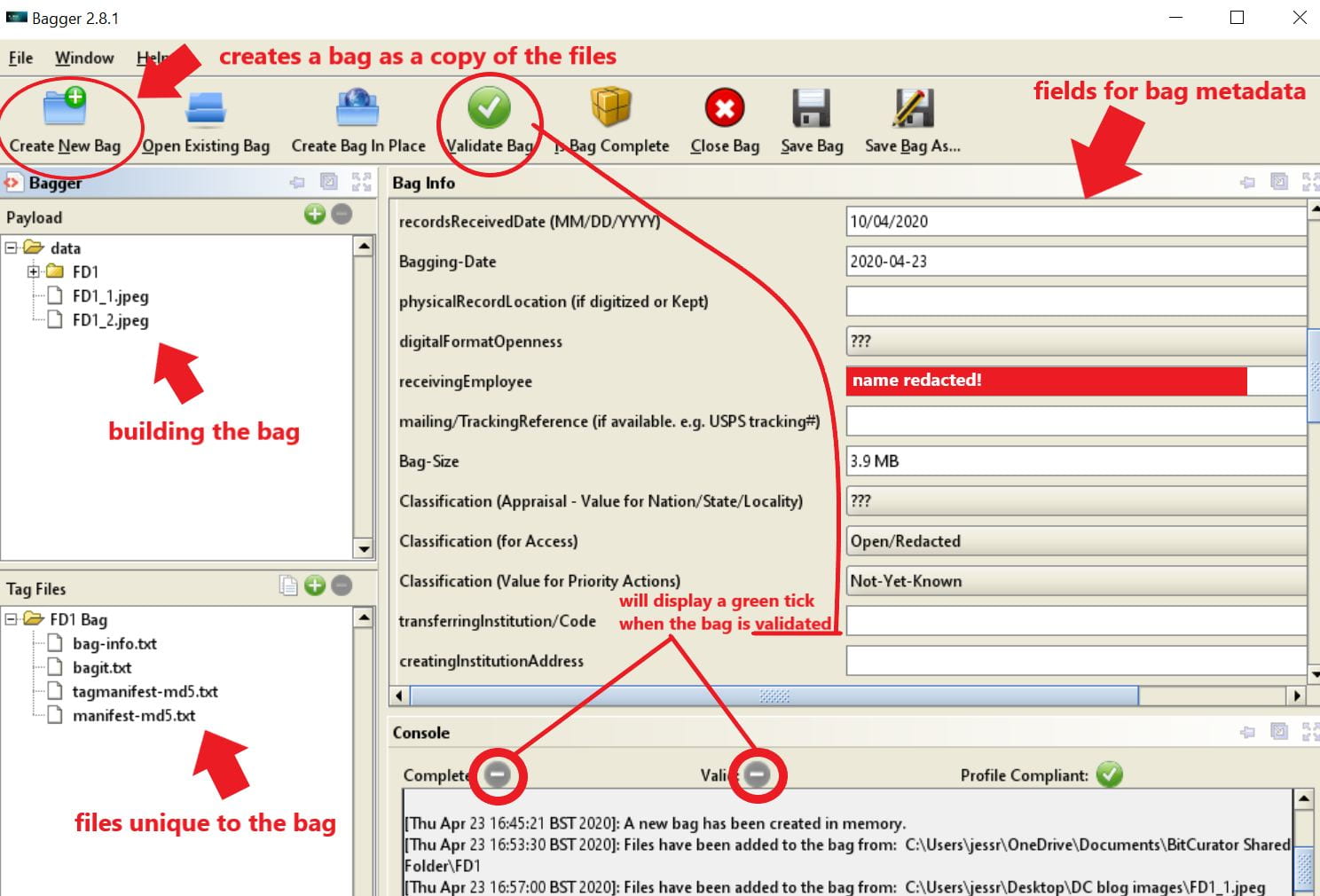
An annotated screenshot of Bagger with my bag created and ready to be validated
I can now view my bag both on my laptop and in BitCurator. It contains a folder marked ‘data’, which contains the payload of all the files mentioned above (FD1 + the two JPEG files), and additional files that have been automatically generated and which contain metadata on who created the bag and to whom it’s going (bag-info), info on the bag itself (bagit), and inventory of files in the payload with checksums (manifest-md5):
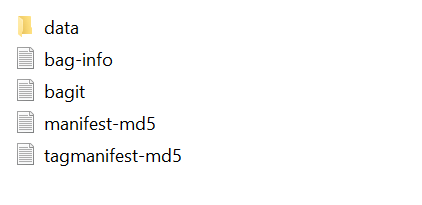
A screenshot of the insides of my bag
And that’s it! The final step in my workflow is complete; I have formed a SIP (Submission Information Package) ready to be ingested to a digital archive.
Conclusions and Reflections
My main takeaway from this project is that many aspects of digital curation work are not necessarily about being an innately tech-proficient person, or starting off with an already-large technical skillset; my success in executing my workflow depended more on my ability to follow pre-existing guidelines, alongside using my own initiative when required. The resources available through software and institutional guides, blogs, and even social media, are invaluable when working with digital material.
As the digital curation field is still so relatively young, and our understanding of digital media and the challenges of obsolescence is ever-evolving, work in this area is a constant learning curve, and you will probably find yourself having to modify and adapt your working processes accordingly. This is why blogging as a method of communication is so important; it allows you to share knowledge and experiences with the profession widely and quickly.
There isn’t any part of this project that couldn’t be recreated by someone at home, with their own laptop. This is interesting to me for the possibilities of people being able to undertake digital forensics activities on their own personal digital material as a means of preservation. Additionally, these activities help professional and non-professional archivists to learn about obsolete media; the combination of increasing understanding of a digital object through the preservation process, rather than as something working in opposition to it, is very interesting and exciting to me.
By the end of this project, I felt so comfortable with the processes of my workflow, I decided to repeat it, from memory, with a USB stick. In doing so, I saw a couple of new things:
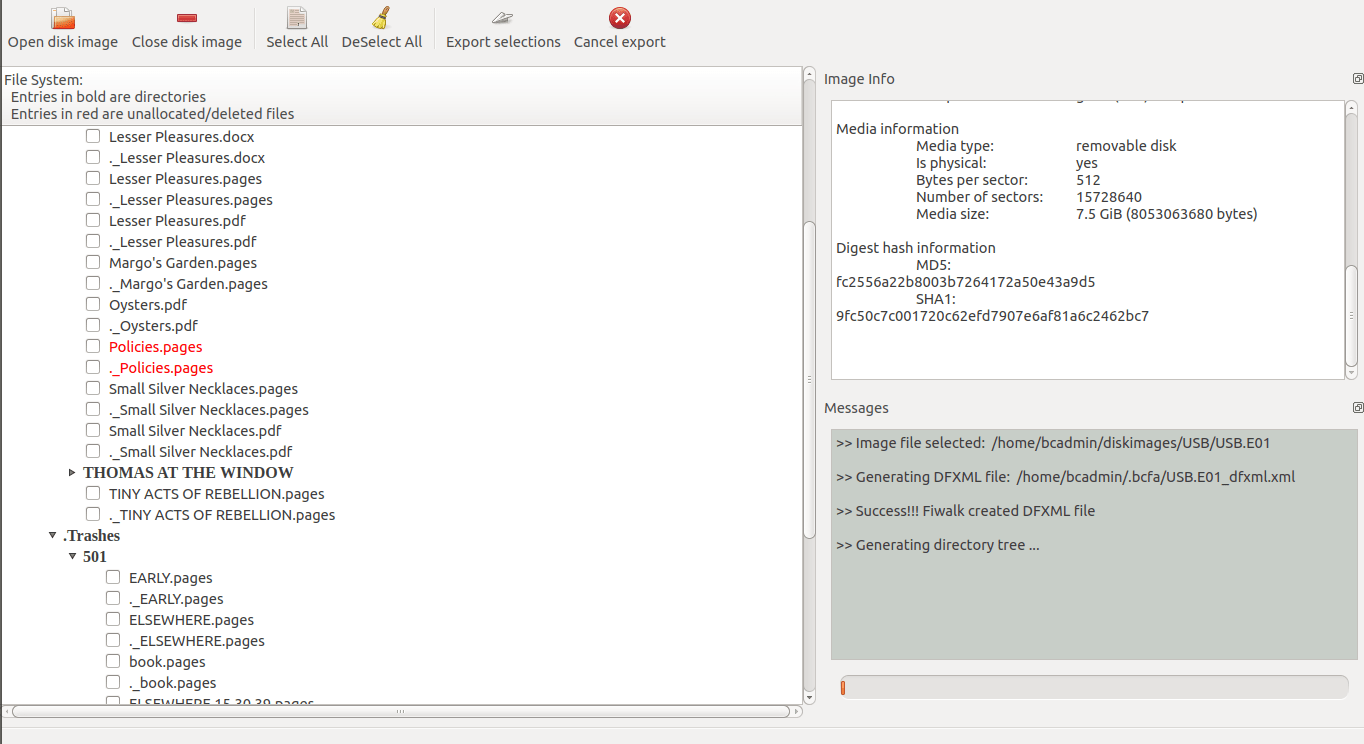
A screenshot of the BitCurator disk image viewer showing in red a .pages document that had been deleted from the USB but was now potentially recoverable.
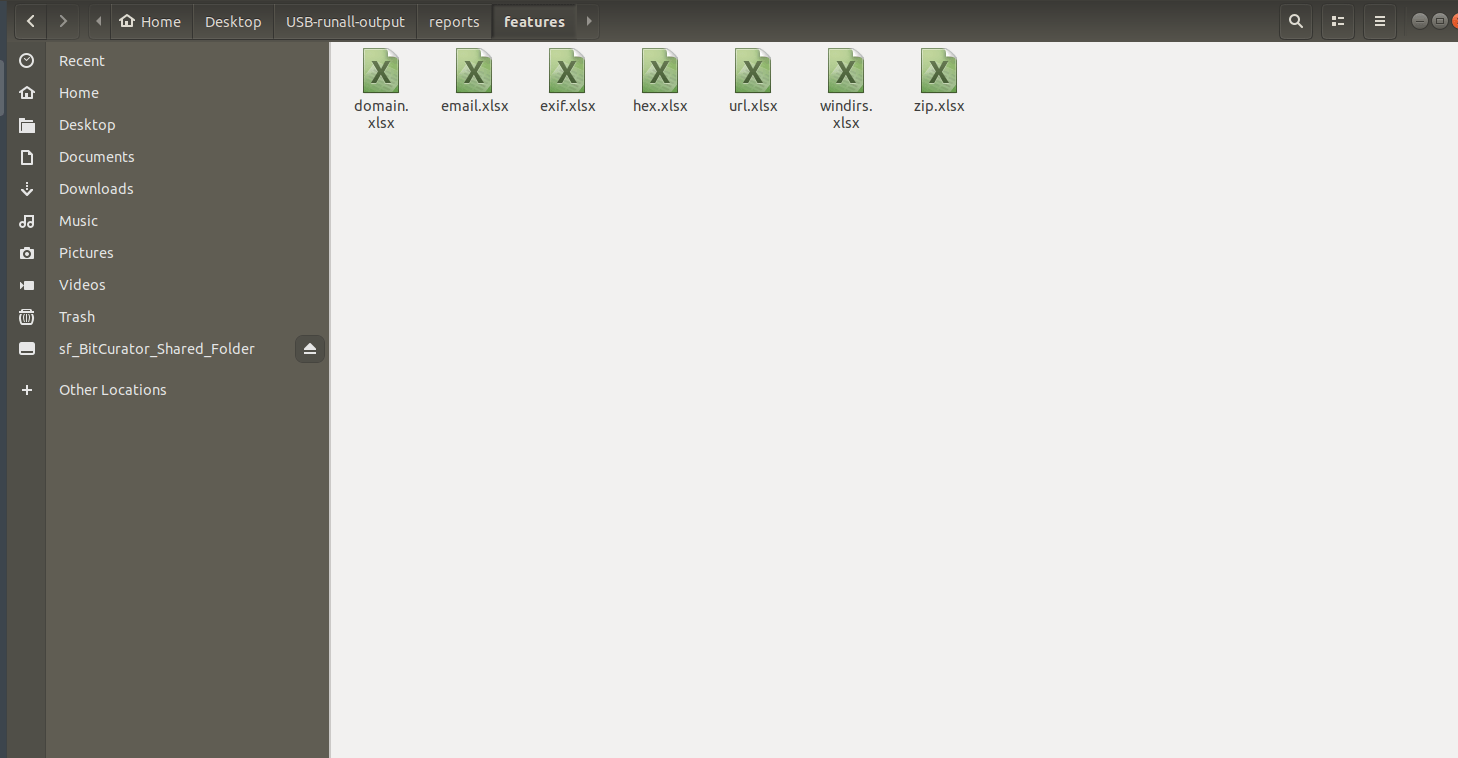
A screenshot from BitCurator showing additional reports, some of which can be used for reviewing digital material for sensitivity e.g. personal email addresses.
It felt really good to have the knowledge and resources to keep exploring in this way. This project has hugely improved my confidence in working with BitCurator, to the extent that I now confidently I have a groundwork of digital curation knowledge that I could take into the workplace and build upon in a professional context.
Leave a Reply